Google Pics Brings Prompt-Based Image Design to Workspace in Challenge to Canva and Adobe
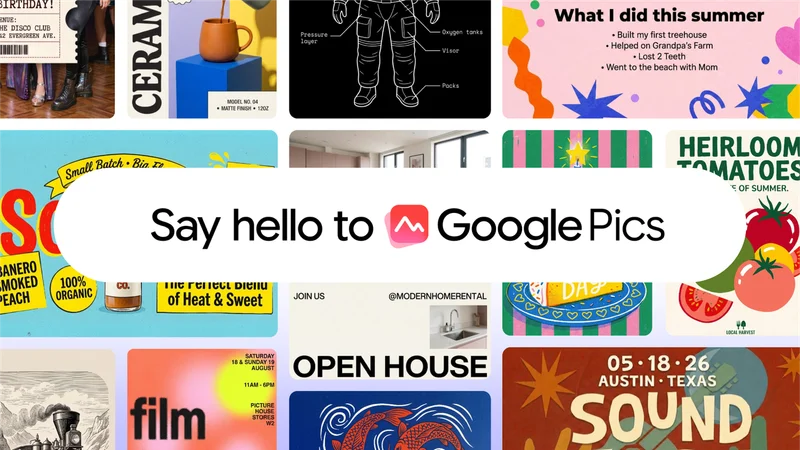
Image: Google AI Blog
Main Takeaway
Google Pics brings Nano Banana-powered image generation and object-level editing to Workspace, giving businesses an AI-first alternative to Canva and Adobe Express.
Jump to Key PointsSummary
Google Pics enters design software
Google Pics is a new image creation and editing app that brings prompt-based design into Google Workspace. Built around Gemini and Google’s Nano Banana image model, it lets users generate visuals, revise existing images, and create practical materials such as event posters, invitations, and business graphics.
The product places Google inside a market led by Canva and Adobe Express, while drawing on the distribution of Workspace. Google unveiled Pics at I/O 2026, with Suz Chambers of Google Creative Lab presenting the product, and positioned it for Workspace customers plus Google AI Pro and Ultra subscribers. The initial rollout began with limited testers before a broader release.
Prompting replaces much manual design
Google Pics is built for users who describe a visual outcome rather than assemble every element manually. A prompt can generate an image or design, while follow-up instructions refine the result. Users can select specific objects or text and tell the app what to change, giving the workflow more control than a single image-generation request.
That object-level editing is central to Google’s pitch. The tool targets the small but costly corrections that often make generated graphics frustrating, including changing wording, adjusting individual objects, or revising part of a composition without rebuilding the entire image. PCWorld’s hands-on account described the editing as unusually capable, while TechCrunch characterized the product as an AI-first answer to Canva’s design workflow.
Workspace distribution raises the stakes
Google Pics gains an immediate business audience through Workspace, where users already create documents, presentations, and shared files. Google says upcoming integrations will bring image creation and editing into Slides, Docs, and Drive, reducing the need to move assets between separate applications.
That connection gives Google a practical route into everyday design work. A marketing employee could create an image for a document, a presenter could revise a visual inside Slides, and a team could keep related assets in Drive. Canva already offers a broad ecosystem spanning presentations, documents, whiteboards, photo editing, video, websites, and print, while Google’s advantage is the link between image generation and its existing productivity suite.
Canva faces an AI-first rival
Google Pics challenges Canva most directly among teams that value speed and generative editing over a large template catalog. Canva remains established for drag-and-drop design, presentation building, collaboration, and polished reusable layouts. Its AI photo editor and wider product suite also cover many tasks beyond the image workflow described for Pics.
The competitive pressure comes from Google’s ability to bundle creation with tools companies already pay for. Adobe Express, Canva, Google Slides, and other presentation products are competing around text-to-image, automated layouts, and faster content production. Comparisons of Canva with Google Slides and other alternatives show that buyers are already evaluating AI assistance as part of broader software decisions, rather than treating it as a novelty.
Accuracy and control will decide adoption
Google Pics will be judged by whether its generated designs remain usable after the first prompt. Granular selection and text editing address common weaknesses in generative imagery, where misspelled words, distorted objects, and inconsistent layouts can force repeated revisions.
The product still enters a market where users have several ways to create visuals. Canva emphasizes templates and an integrated design system, Pixlr offers a free browser-based editor with generation, photo manipulation, background removal, and other tools, and Adobe serves professional creative workflows. Google’s differentiation therefore rests on the quality of Nano Banana, the reliability of revisions, and the speed of Workspace integration.
What happens after the rollout
Google Pics is rolling out to selected users before expanding to Workspace customers and Google AI subscribers. The next meaningful test will be its integration into Slides, Docs, and Drive, where image editing becomes part of established work rather than a separate destination.
For businesses, the decision will center on workflow fit, subscription coverage, output quality, and control over generated content. For Google, Pics extends Gemini beyond chat and productivity assistance into a category where visual polish and repeatable collaboration matter. Canva retains a deep design footprint, but Google now has a credible way to put generative image creation beside the documents and presentations companies already use.
Key Points
Google Pics brings Nano Banana-powered image generation and object-level editing to Workspace users.
Workspace integration gives Google Pics a distribution advantage against Canva and Adobe Express.
Natural-language prompts let users create posters, invitations, and business graphics without manual layout work.
Object and text selection targets common generative-image problems involving revisions, accuracy, and control.
Canva retains strengths in templates, collaboration, presentations, documents, and broad creative tooling.
Questions Answered
Google Pics is Google’s AI image creation and editing app for Workspace users and premium Google AI subscribers. It uses Gemini and the Nano Banana model to generate visuals and revise selected objects or text with natural-language instructions.
Google Pics competes with Canva by making prompt-based image generation and editing the center of its workflow. Canva remains stronger in templates, drag-and-drop design, collaboration, and its wider suite of creative products, while Google connects Pics to Workspace.
Google Pics can create and edit images such as event posters, invitations, presentations graphics, and business visuals. Users can generate an image, select specific elements, and describe changes instead of manually rebuilding the design.
Google Pics began with limited testing and is rolling out to Workspace customers and Google AI Pro or Ultra subscribers. Google also plans integrations with Slides, Docs, and Drive.
Nano Banana powers Google Pics image generation and editing. Google is using the model to provide more precise revisions, including changes to individual objects and text, where generative image tools often produce unreliable results.
Source Reliability
36% of sources are trusted · Avg reliability: 66
Go deeper with Organic Intel
Simple AI systems for your life, work, and business. Each one includes copyable prompts, guides, and downloadable resources.
Explore Systems